Binance P2P for GPT Earnings: Convert Crypto to Local Currency
Binance
 VERIFIED 2026
Quick answer
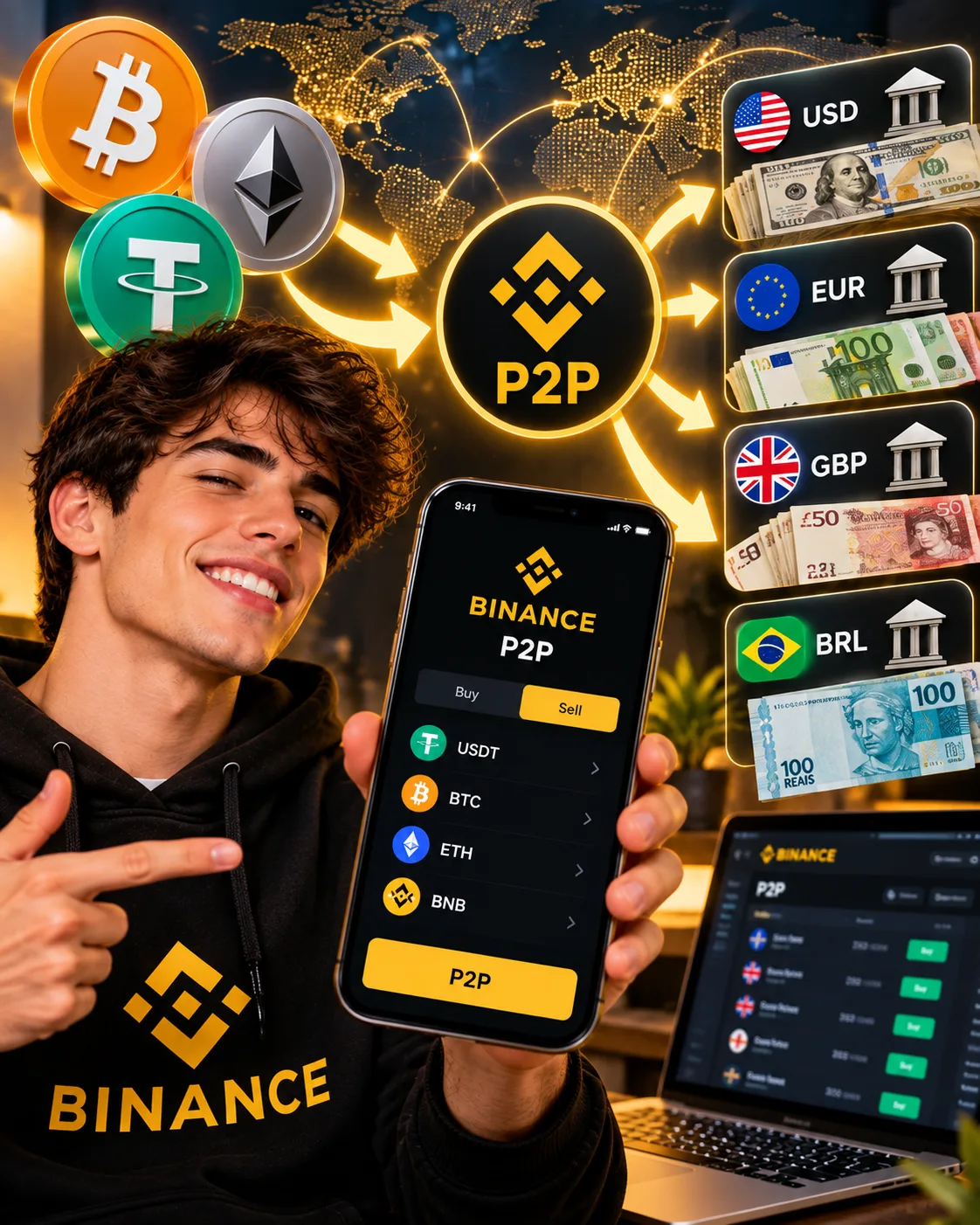
Binance P2P is the feature that lets you sell USDT, USDC, BTC, or other coins from GPT payouts directly to verified buyers who send you local currency through bank transfer, mobile money, or payment apps. The seller fee is typically zero on most markets, which makes P2P the cheapest way to convert GPT crypto earnings to fiat.
The process works through an escrow system: you create a sell order, a verified buyer accepts, Binance locks your crypto until you confirm receipt of the local currency, and then the crypto is released. This protects you from the most obvious risk — a buyer accepting the order and disappearing without paying.
This guide examines the step-by-step process, how to choose a verified buyer, the transaction limits by country, and the scam patterns that target new P2P users.
What Binance P2P Actually Is
Binance P2P is a peer-to-peer marketplace inside the Binance app. It connects buyers who want to purchase crypto with sellers who want to sell it, using local payment methods. Binance does not buy or sell the crypto itself in P2P — it provides the escrow, the reputation system, and the dispute resolution.
For GPT site users, the workflow is:
- Receive crypto from a GPT site into your Binance account (USDT on BEP20 or TRC20 is the cheapest option).
- Convert any non-stablecoin (BTC, LTC, SOL) to USDT on the Spot market if needed.
- Create a sell order on Binance P2P for USDT against your local currency.
- A verified buyer accepts and sends you local currency through a payment method (PIX, SEPA, PayID, mobile money, etc.).
- You confirm receipt and Binance releases the USDT from escrow to the buyer.
The whole process typically takes 5 to 30 minutes, depending on how quickly a buyer accepts and how fast the local payment method processes.
For a full review of how Binance works for GPT users, including the fee structure and which coins to use, see our Binance review for GPT site payouts.
Binance P2P Fees: What You Actually Pay
Binance P2P has the lowest fee structure of any cashout method for GPT crypto earnings. The seller fee is zero on most markets, and there is no currency conversion markup like PayPal charges.
| Fee component | Amount | Who pays it |
|---|---|---|
| P2P seller fee | Typically 0% | Paid by the seller |
| P2P buyer fee | Typically 0% | Paid by the buyer |
| Spot conversion fee (if converting BTC/LTC to USDT) | 0.1% (0.075% with BNB) | Paid by you |
| Network fee (deposit from GPT site) | Varies by network | Paid by the GPT site |
| Withdrawal to bank (if using direct withdrawal) | Varies by country | Paid by you |
The practical implication: on a $25 GPT payout received in USDT and sold through P2P for EUR, your total cost is roughly 0% if you do not need to convert (USDT is already a stablecoin). If you received BTC or LTC, you pay 0.1% on the Spot market to convert to USDT, then 0% on P2P. The total cost is under 0.2% — significantly lower than PayPal's 2.99% + currency markup or AirTM's variable P2P fees.
The one cost that can surprise users is the spread. The P2P price for USDT/EUR is set by the market, and it can be slightly above or below the spot rate. On a $100 transaction, the spread is typically under 0.5%, but on small payouts the percentage can be higher.
For a detailed breakdown of Binance fees on typical GPT payout amounts, see our guide to Binance fees for small crypto withdrawals.
Step-by-Step: How to Sell USDT on Binance P2P
The P2P process has five steps. The interface differs slightly between the app and the web version, but the workflow is identical.
Step 1: Open the P2P section
In the Binance app, tap 'P2P' in the bottom navigation or from the home screen. On the web, go to the 'Buy Crypto' menu and select 'P2P.'
Step 2: Select 'Sell' and choose USDT
Tap the 'Sell' tab. Select USDT as the crypto. Choose your local currency (EUR, USD, BRL, NGN, INR, etc.) from the dropdown.
Step 3: Enter the amount and select a payment method
Enter the amount of USDT you want to sell. Binance shows you a list of available buyers with their prices, payment methods, and limits. Filter by payment method (SEPA, PIX, PayID, bank transfer, etc.) to find a buyer who uses a method you can accept.
Each buyer listing shows:
- Price: How much local currency they will pay per USDT.
- Available: The maximum amount of USDT they want to buy.
- Limits: The minimum and maximum transaction size in local currency.
- Payment methods: The payment methods they support.
- Completion rate and average time: Their reputation and how fast they typically pay.
Step 4: Create the sell order
Select a buyer and tap 'Sell USDT.' Enter the amount you want to sell and confirm. Binance locks the USDT in escrow and opens a chat with the buyer.
Step 5: Wait for payment and confirm receipt
The buyer sends the local currency to the payment details you provided. Once they mark the order as 'Paid,' check your bank or payment app to confirm the money has arrived. When confirmed, tap 'Release' to unlock the escrow and send the USDT to the buyer.
The entire process typically takes 5 to 30 minutes. If the buyer does not pay within the time limit (usually 15 to 30 minutes), the order is automatically canceled and your USDT is returned to your available balance.
For a full review of how Binance handles GPT payouts, see our Binance review for GPT site payouts.
How to Choose a Verified Buyer
Not all buyers on Binance P2P are equal. The reputation system is your main defense against scams and delays.
| Metric | What to look for |
|---|---|
| Completion rate | Above 95%. Below 90% means the buyer frequently cancels or fails to pay. |
| Orders completed | Above 500. New buyers with under 50 orders carry more risk. |
| Average release time | Under 15 minutes. Buyers who take longer are more likely to cause friction. |
| Verification badge | Look for 'Verified' or 'Merchant' badges. These indicate Binance has vetted the account. |
| Registered since | At least 6 months. New accounts are more likely to be scam attempts. |
The safest approach is to sell to buyers with a completion rate above 98% and more than 1,000 completed orders. These are usually professional merchants who handle high volumes and prioritize reliability.
Do not sell to buyers with a completion rate below 90%, regardless of the price. A slightly better price is not worth the risk of a delayed or failed transaction.
Transaction Limits by Country
Binance P2P supports different payment methods and limits in each country. The most active markets are LATAM, Africa, and Asia.
| Country | Common payment methods | Typical limits |
|---|---|---|
| Brazil | PIX, bank transfer | R$20 – R$50,000 per order |
| Argentina | Bank transfer, Mercado Pago | ARS 5,000 – ARS 5,000,000 |
| Mexico | SPEI, bank transfer | MXN 100 – MXN 200,000 |
| Colombia | PSE, Nequi, Bancolombia | COP 20,000 – COP 10,000,000 |
| Nigeria | Bank transfer, OPay, PalmPay | NGN 1,000 – NGN 5,000,000 |
| Kenya | M-Pesa, bank transfer | KES 100 – KES 500,000 |
| India | UPI, IMPS, bank transfer | INR 100 – INR 500,000 |
| Philippines | GCash, Maya, bank transfer | PHP 100 – PHP 500,000 |
| EU (Germany, France, etc.) | SEPA, bank transfer | €10 – €50,000 per order |
| United Kingdom | Faster Payments, bank transfer | £10 – £50,000 per order |
For German and French users, SEPA is the most common payment method on Binance P2P. SEPA transfers typically arrive within a few minutes during business hours, and P2P sellers can accept them for amounts as low as €10. However, the P2P route is not the most cost-effective option for EUR users — a direct SEPA transfer from a GPT site to your bank is free, and Wise is cheaper for USD conversions.
P2P is most relevant for users in LATAM, Africa, and parts of Asia where the local payment methods are not supported by Wise or Revolut. For those users, Binance P2P is often the only way to convert crypto to local currency without high fees.
How to Avoid P2P Scams
Binance P2P is safe when you follow the rules. Most scams happen when users go outside the platform or ignore the escrow system.
Common scam patterns
- The 'paid outside the app' scam. A buyer asks you to release the crypto before they send the payment, promising to pay 'in a minute.' Never release escrow before you confirm receipt in your bank or payment app.
- The payment reversal scam. A buyer sends the payment, you release the crypto, and then they file a chargeback or dispute the transfer with their bank. This is why Binance requires you to use verified payment methods that match the buyer's name.
- The third-party payment scam. A buyer sends you money from an account that does not match their verified name. This is called 'triangulation' and is prohibited. If you receive payment from a third party, do not release the crypto and open a dispute.
- The fake receipt scam. A buyer sends you a screenshot of a payment that was never actually made. Always verify the payment in your actual bank or payment app, not from a screenshot.
- The 'urgent' pressure scam. A buyer pressures you to release the crypto quickly before you have time to verify the payment. This is a red flag. Take your time and verify.
Rules that protect you
- Always verify the payment in your bank or payment app. Screenshots can be faked. Log in to your bank and confirm the money is there.
- Use only Binance's internal chat. Do not communicate with buyers through WhatsApp, Telegram, or any other app. Binance's escrow and dispute system only works through the internal chat.
- Match the buyer's name. The name on the payment must match the verified name on the buyer's Binance account. If it does not, do not release the crypto.
- Do not accept payments from third parties. If someone else sends the money, do not release the crypto and open a dispute.
- Read the buyer's terms. Some buyers require specific payment methods, references, or formats. Read the terms before creating the order.
- Confirm receipt within the time limit. If you do not confirm receipt, the order may be auto-canceled or the escrow may be released in the buyer's favor.
If you suspect a scam, do not release the crypto. Open a dispute through the order chat and wait for Binance's mediation team. The escrow remains locked until the dispute is resolved.
P2P vs Spot Conversion: When to Use Each
Binance offers two ways to convert crypto to local currency: P2P and direct withdrawal to a bank account. The right choice depends on your country and the amount.
| Method | Fee | Speed | Availability |
|---|---|---|---|
| P2P | 0% seller fee | 5–30 minutes | 190+ countries |
| Direct withdrawal to bank | Varies by country | 1–3 business days | Limited countries |
| Convert to fiat on Spot | 0.1% + spread | Instant | Limited fiat pairs |
| Withdraw crypto to external wallet | Network fee | Minutes to hours | Global |
P2P is the most practical option for GPT users because it covers the widest range of countries and payment methods. Direct withdrawal to a bank is available in fewer countries but is simpler when it is available. Converting to fiat on the Spot market only works for a limited set of currency pairs and usually has a worse rate than P2P.
For GPT users in countries where Binance P2P is active — Brazil, Argentina, Mexico, Colombia, Nigeria, Kenya, India, Philippines, and others — P2P is the cheapest and fastest way to convert crypto to local currency.
For users in Germany, France, and other EU markets, a direct SEPA transfer from the GPT site to your bank is free and does not require going through crypto at all. Wise is cheaper than P2P for USD conversions. P2P is only worth considering if you already hold crypto and want to convert it to EUR.
For a full comparison of Binance against other exchanges, see our Binance vs Coinbase vs Kraken comparison.
Frequently Asked Questions
Does Binance P2P charge a fee?
Binance P2P charges zero seller fee and zero buyer fee on most markets. The cost is in the spread between the P2P price and the spot rate, which is typically under 0.5% but can vary by market and transaction size.
How long does a Binance P2P transaction take?
Most P2P transactions complete in 5 to 30 minutes. The time depends on how quickly a buyer accepts the order and how fast the local payment method processes. The buyer has a time limit (usually 15–30 minutes) to send the payment before the order is auto-canceled.
Is Binance P2P safe?
Yes, when you follow the rules. Binance holds the crypto in escrow until you confirm receipt of the local currency. The main risks are scams that involve going outside the platform or releasing escrow before verifying payment. Always verify the payment in your bank or payment app and match the buyer's name.
What is the minimum transaction on Binance P2P?
The minimum transaction size depends on the buyer and the payment method. On SEPA (EU), the minimum is typically €10. On PIX (Brazil), the minimum is around R$20. On M-Pesa (Kenya), it can be as low as KES 100.
Can I sell USDT for EUR on Binance P2P?
Yes. Binance P2P supports USDT/EUR trading with SEPA as the primary payment method. However, for German and French users, a direct SEPA transfer from the GPT site is usually cheaper than going through crypto and P2P.
What happens if the buyer does not pay?
If the buyer does not pay within the time limit (usually 15–30 minutes), the order is automatically canceled and your USDT is returned to your available balance. There is no cost to you.
What happens if I release the crypto and the payment does not arrive?
If you release the crypto before confirming receipt of the payment, you lose the crypto. This is why you must always verify the payment in your bank or payment app before tapping 'Release.' If the buyer sent a fake receipt, open a dispute immediately — but the escrow is already released, and recovery is not guaranteed.
Can I use Binance P2P in Germany?
Yes. Binance P2P is available in Germany with SEPA as the primary payment method. However, for German users receiving EUR from GPT sites, a direct SEPA transfer or Wise is cheaper and does not require going through crypto.
Do I have to pay tax on GPT earnings in Germany if I cash out via Binance P2P?
The choice of payout method does not change the tax treatment. GPT earnings are generally taxable in Germany. For crypto gains, profits from selling cryptocurrencies are tax-free after a holding period of one year. Consult a tax advisor for a binding assessment of your individual situation. For more information, see our Revolut KYC for GPT earnings.
Get the Ultimate GPT Insider Guide🚀
Learn how survey disqualifications work and proven ways to qualify for more studies. 100% Free.
LootHub.org
Recommended posts
Continue with these related reward guides.
 VERIFIED 2026
Binance Review for GPT Site Users: The Best Crypto Withdrawal Option?
 VERIFIED 2026
Binance Alternatives for GPT Crypto Withdrawals: Coinbase, Kraken & More
 VERIFIED 2026
Binance Fees for Small Crypto Withdrawals from GPT Sites: What You Actually Pay
 VERIFIED 2026
Binance vs Coinbase vs Kraken for GPT Crypto Payouts: Which One Should You Use?
 VERIFIED 2026
Binance Card for GPT Site Users: Spending Your Crypto Earnings
 VERIFIED 2026