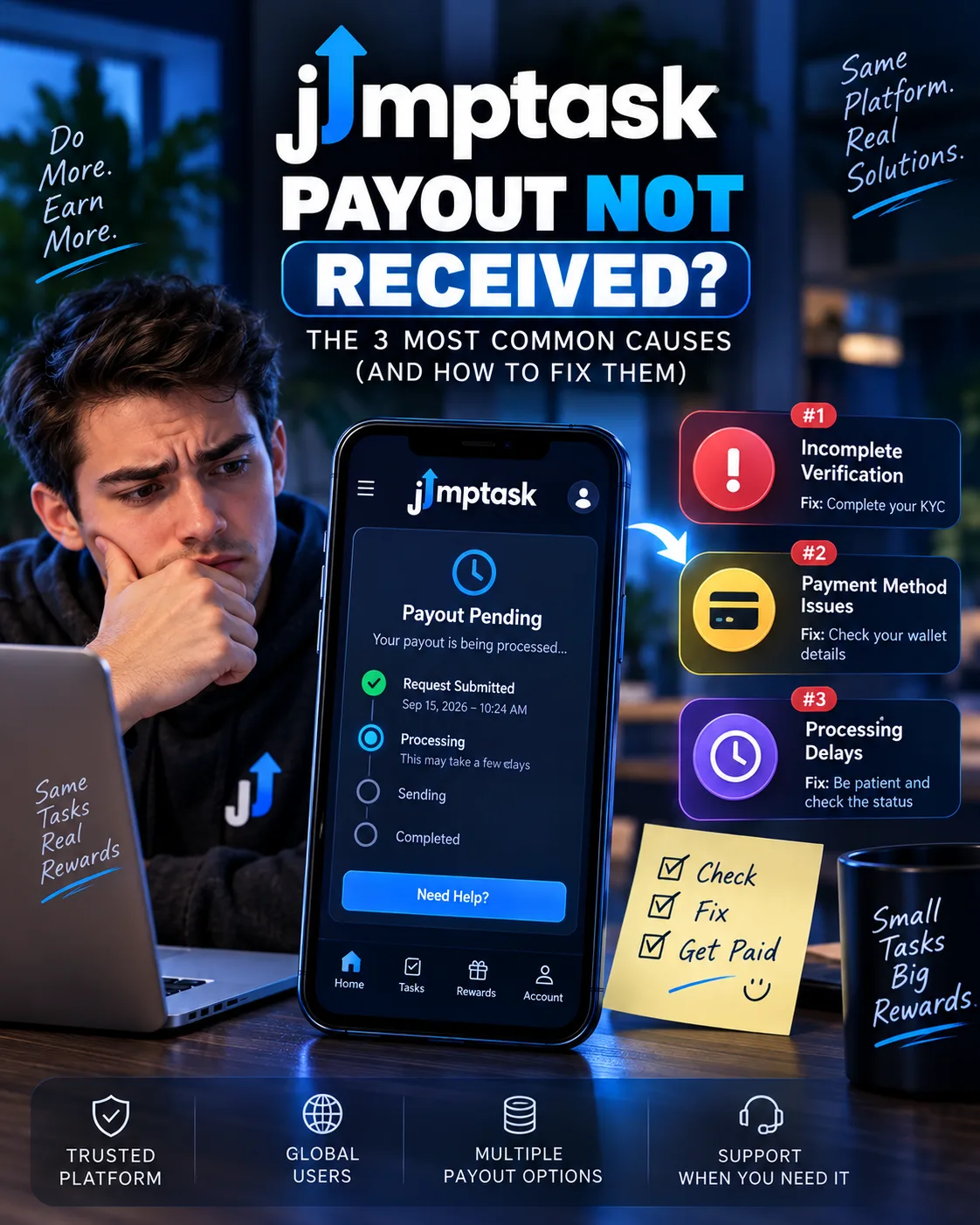
JumpTask Payout Not Received? The 3 Most Common Causes (and How to Fix Them)
JumpTask
 VERIFIED 2026
Quick answer
If your JumpTask payout has not arrived, the most likely cause is one of three things: the task never tracked , your balance looks wrong after the credits migration , or the transfer failed on the blockchain . Each has a different fix, and each has a different likelihood of success.
The good news is that JumpTask's payout system is now more transparent than it was before the August 2026 migration. Every payout goes through GIFQ, JumpTask's official payout partner, and every status is visible in your Payout section. The bad news is that the two most common problems — tracking failures and transfer errors — are structural, and not all of them can be fixed.
This guide walks through each cause, the exact steps to take, and the honest likelihood of getting your money.
Cause 1: The Task Never Tracked (Most Common for Missing Credits)
This is the most common reason users do not receive credit for completed tasks. JumpTask relies on third-party tracking signals from its partners. If the signal is not received, JumpTask cannot credit your account.
Tracking failures happen for several reasons:
- Using a VPN — JumpTask's terms prohibit VPN usage, and the platform explicitly states that tracking issues can occur if a VPN is active
- Ad blockers or privacy extensions — These can interfere with the tracking pixels and redirects that partners use to verify completions
- Completing the task through a different link instead of the one provided by JumpTask
- Partner-side technical issues — The merchant did not report the completion
What JumpTask says about tracking:
"After you complete a task from our offer wall, it's important to note that we need at least 72 hours to process your reward. This means that you won't receive your reward any sooner than 72 hours after completing the task."
For some offer providers, the wait can be even longer. JumpTask states that if you still don't receive your reward after 72 hours, you need to contact the offer provider's support team directly so they can issue the reward manually.
How to fix it:
- Wait 72 hours before doing anything. This is the stated processing time for offer rewards. Do not submit a ticket before this window has passed.
- Check your Payout section. The Payout section shows your earning history and payout history. If the task does not appear at all, the tracking signal was likely never received.
- Contact the offer provider directly. For Quick Access/Partner Offers, you must contact the provider — not JumpTask. JumpTask's support documentation provides specific steps for contacting providers like Torox and HangMyAds through their integrations.
- Gather your evidence. If you contact the provider, include screenshots of your completed offer, the offer name, the completion date, and any confirmation emails.
- For JumpTask Offerwall tasks, the process is different. Refer to JumpTask's "Offerwall" support article for the specific steps.
For a full breakdown of the platform's performance after the migration, see our JumpTask review.
Cause 2: Your Balance Looks Wrong After the Credits Migration (Most Confusing)
On August 10, 2026, JumpTask migrated from a token-based system ($JMPT) to a credits system with a fixed dollar value: 1,000 credits = $1.00. Every JMPT balance held inside JumpTask was automatically converted on that day. Nothing was lost.
But "nothing was lost" does not mean "nothing looks different." The migration changed how balances are displayed, how earnings are recorded, and where payout history lives.
What users are reporting:
Several users have reported that their balance "disappeared" or "looks wrong" after the migration. In most cases, the balance is still there — it has simply been converted to credits and moved to a different section of the dashboard.
How to fix it:
- Log in and open your dashboard. Your credit balance appears at the top of the dashboard, with the dollar equivalent next to it. Your earning history and payout history are in the new Payout section.
- Check the conversion math. Divide your credit balance by 1,000 to get the dollar value. If you had 50,000 credits, that's $50.00.
- If your balance looks genuinely wrong, contact JumpTask support by filling out the "NEW Withdrawal System issue (GIFQ)" form. Include your account ID, the email connected to your account, and screenshots showing the discrepancy.
- Be patient. Support response times are inconsistent. Some users report replies within 24 hours; others wait longer.
For a full breakdown of what happened to the JMPT token and the new credits system, see our JumpTask payout guide.
Cause 3: The Transfer Failed (Most Fixable)
If you see a "Transfer Failed" status on your payout, this is the most fixable of the three causes. According to JumpTask's support documentation, a failed status "usually indicates a temporary issue with the blockchain network".
What the support documentation says:
"Your JMPT tokens will not be deducted. Simply retry the transaction — it typically works on the second attempt after some time. No gas fees are charged for failed transactions."
The key word is retry. A failed transfer is not a lost transfer. The funds remain in your account, and the fix is to try again.
How to fix it:
- Wait a few minutes. Blockchain congestion is usually temporary. Retrying immediately may produce the same error.
- Retry the payout. Go back to the Payout section and submit the request again. In most cases, the second attempt succeeds.
- Check the network. If you are withdrawing crypto, make sure your wallet supports the network JumpTask uses. JumpTask supports BSC (Binance Smart Chain) and CELO for JMPT-related transactions.
- If the failure persists, contact support through the GIFQ issue form. Include your account ID, the payout amount, and the error message you received.
In documented testing, one failed transfer occurred out of three payouts; retrying after about 15 minutes succeeded, and the funds arrived within the standard processing window.
What About "Under Review" Status?
If your payout shows "Under Review" instead of "Failed" or "Pending," this is a security check. JumpTask's support documentation states that "some withdrawals may be flagged for a quick review" to verify activity and prevent abuse.
The review process can take up to 72 hours, though most cases are resolved within 24 hours. No action is required from you unless JumpTask contacts you directly.
This is not a failure — it is a standard security measure. Do not submit a support ticket unless the review has been ongoing for more than 72 hours.
How Long Does a JumpTask Payout Take?
If you have waited the full stated time and your payout has not arrived, that is when you should take action.
How to Contact JumpTask Support
The support process matters. A clear, well-documented ticket is more likely to get a positive response than an emotional complaint.
Step-by-step:
- Go to the JumpTask Help Center at support.jumptask.io.
- For payout issues related to the new system, use the "NEW Withdrawal System issue (GIFQ)" form.
- Include in your ticket:
- Your account ID
- The email connected to your account
- The payout amount and reward type
- The date the issue occurred
- Screenshots showing the problem
- Do not submit multiple tickets for the same issue. This slows down the process.
- Wait for the automated confirmation email and respond to it if requested.
What to expect: Support response times are inconsistent. Some users report replies within 24 hours; others wait longer. The review process for flagged withdrawals can take up to 72 hours.
For a full breakdown of every payout method and how to maximize their value, see our JumpTask payout guide.
How to Avoid Payout Problems Before They Happen
Most stuck payouts are preventable. Here is a checklist to follow:
- Never use a VPN. VPN usage is explicitly prohibited and is a documented cause of tracking failures and account restrictions.
- Turn off ad blockers and privacy extensions when completing offers. They can interfere with tracking signals.
- Wait the full 72 hours for offer rewards. Do not submit a ticket before this window has passed.
- Complete the email or social login step. The payout system requires one. Wallet-only accounts are prompted to add one at first payout.
- Cash out as soon as you hit the threshold. Don't accumulate a large balance. If your account is restricted, you lose access to everything.
- Keep documentation for high-value tasks. Screenshots and confirmation emails make support tickets more likely to succeed.
- Check the Payout section regularly. This is where your earning history and payout history now live.
For more on maximizing your earnings while avoiding account issues, see our JumpTask review and our safety review.
Frequently Asked Questions
Why is my JumpTask payout still pending?
If it has been less than 72 hours since you completed the task, this is normal. Offer rewards take at least 72 hours to process. If it has been longer, the task may not have tracked, or the payout may be under review.
What does "Transfer Failed" mean on JumpTask?
A failed status usually indicates a temporary issue with the blockchain network. Your funds are not deducted. Simply retry the transaction — it typically works on the second attempt.
What does "Under Review" mean on JumpTask?
Your withdrawal has been flagged for a security check. The review process can take up to 72 hours, though most cases are resolved within 24 hours. No action is required unless JumpTask contacts you directly.
Platform information and limitations
Check the Payout section on your dashboard. Your balance was automatically converted to credits at 1,000 credits = $1.00. If the math doesn't add up, contact support using the "NEW Withdrawal System issue (GIFQ)" form with your account ID, email, and screenshots.
Can I get my JumpTask account back after a restriction?
Sometimes. Account restrictions are often linked to VPN usage. If you contact support politely and factually, there is a chance the account is restored. However, recovery is not guaranteed. For the full process, see our account restriction guide.
How do I contact the offer provider for a missing reward?
For Quick Access/Partner Offers, open the provider's integration (e.g., Torox, HangMyAds), find the task, and use the "Missing Credits" or "Contact" button to submit a claim directly to the provider. JumpTask cannot investigate these on your behalf.
Is there a fee to retry a failed payout?
No. JumpTask's support documentation states that "no gas fees are charged for failed transactions".
Get the Ultimate GPT Insider Guide🚀
Learn how survey disqualifications work and proven ways to qualify for more studies. 100% Free.
LootHub.org
Recommended posts
Continue with these related reward guides.
 VERIFIED 2026
JumpTask Account Restricted? What to Do and How to Avoid It (2026)
 VERIFIED 2026
JumpTask Payout Guide 2026: Credits, Gift Cards, PayPal, and Crypto Explained
 VERIFIED 2026
JumpTask vs Freecash vs Swagbucks 2026: Which Microtask Platform Actually Pays Best?
 VERIFIED 2026
JumpTask Review 2026: Earnings, Tasks & Platform Limits
 VERIFIED 2026
Is JumpTask Safe? What the App Actually Tracks (Exodus Privacy Analysis)
 VERIFIED 2026