Revolut Virtual Cards for GPT Sites: How to Use Them for Payouts & Subscriptions
Revolut
 VERIFIED 2026
Quick answer
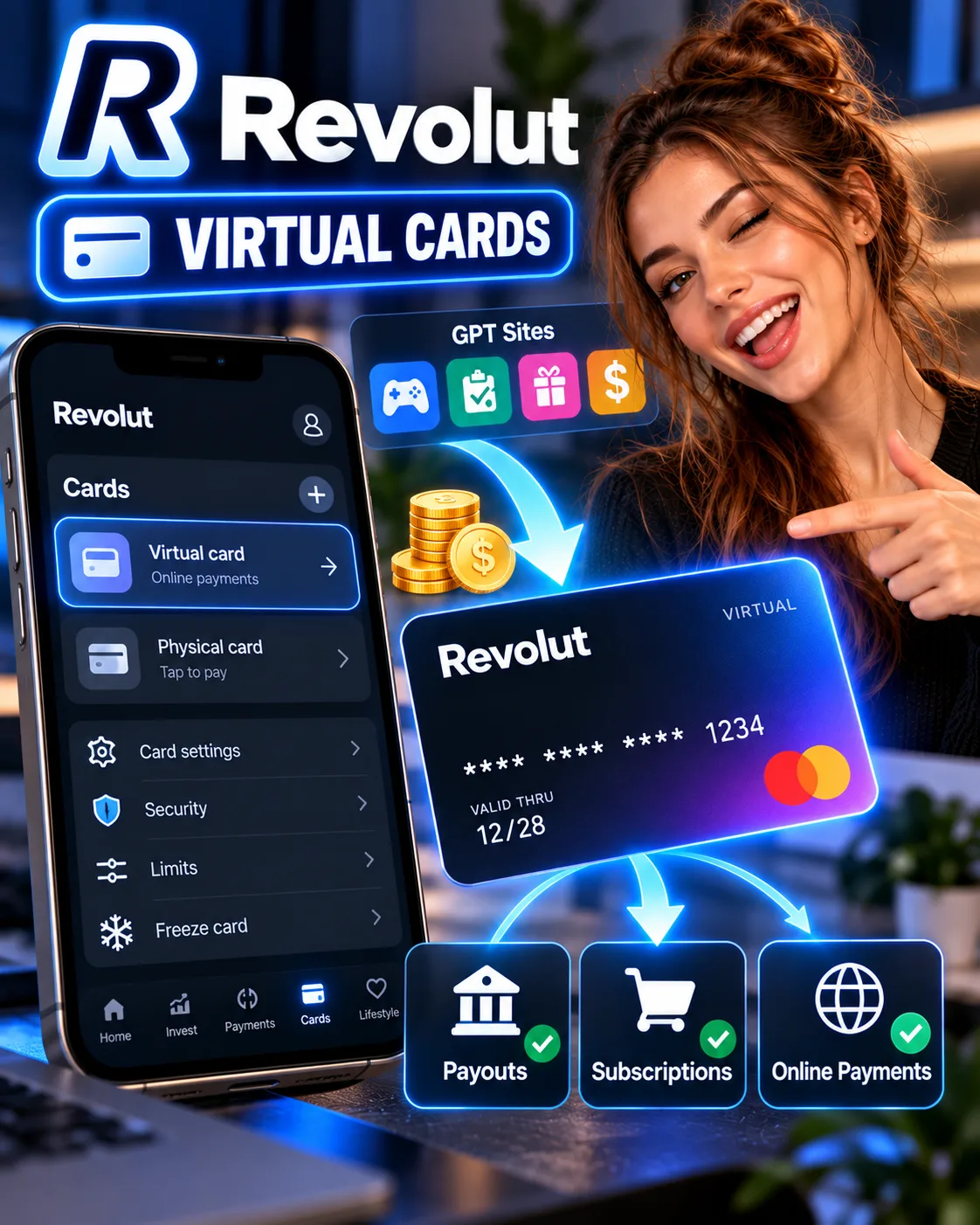
Revolut virtual cards are digital-only payment cards you can generate instantly in the app. They have their own 16-digit number, expiration date, and CVV — separate from your physical card.
This guide examines the two types of virtual cards, how to create them, where they work for GPT-related payments, and the limitations that make single-use cards unsuitable for recurring subscriptions.
What Is a Revolut Virtual Card?
A Revolut virtual card is a digital debit card that exists only in the Revolut app. It uses the money in your Revolut account, works anywhere standard card payments are accepted, and has its own unique card number, expiry date, and CVV code. You can create one in seconds without waiting for a physical card to arrive in the mail.
Revolut offers two types of virtual cards, and the distinction matters for GPT site users:
| Card type | How it works | Best for |
|---|---|---|
| Standard virtual card | Reusable card details; you can save them for future payments | Subscriptions, recurring payments, trusted online merchants |
| Single-use virtual card | Details refresh automatically after each transaction | One-off purchases, unfamiliar websites, extra security |
Revolut states that customers can hold up to 20 active virtual cards at any one time, with one of those being a single-use card. The limit on new cards per 30-day period varies by plan.
The key advantage over your physical card is isolation. If your virtual card details are exposed in a data breach or stolen from an online merchant, your physical card — the one you use for ATM withdrawals and everyday spending — remains untouched. You can delete the compromised virtual card and create a new one instantly.
For a broader look at how Revolut handles GPT payouts and the fees involved, see our Revolut review for GPT site payouts.
Why GPT Site Users Need Virtual Cards
The connection between GPT sites and virtual cards is not immediately obvious. It becomes clear when you consider what GPT site users actually spend their earnings on.
Most active GPT site users are also users of AI tools. ChatGPT Plus, Claude Pro, Midjourney, and similar subscriptions cost between $10 and $30 per month. Paying for these with GPT earnings is a natural fit — the money you earned from surveys and tasks covers the tools you use to earn or work.
But there is a problem: many GPT site users are outside the United States, and some AI platforms have payment friction for international cards. Virtual cards from Revolut are reported to have a high success rate for these payments because they function as standard Visa or Mastercard debit cards with a US or EU billing address.
The second problem is security. GPT sites and the platforms you use to spend your earnings are not always the most secure. Using your main card for every subscription and every payout platform exposes your primary account details to every merchant in the chain. A virtual card limits the exposure to that single card.
If you are still deciding how to receive your GPT payouts in the first place, our guide to Freecash Revolut withdrawals covers the direct payout route from the largest GPT platform.
How to Create a Revolut Virtual Card
Creating a virtual card takes less than a minute. The process is identical on iOS and Android.
- Open the Revolut app and log in.
- Go to the Cards tab at the top of the screen.
- Tap “Add a card” or the “+” button.
- Choose “Virtual card.” If you want a single-use card, choose “Disposable” or “Single-use virtual card” instead. The exact label varies by region and app version.
- Tap “Get card.” The card is issued instantly and appears in your card list.
- Tap “Show details” to view the 16-digit number, expiry date, and CVV. You may need to authenticate with your passcode or biometric ID.
You can rename each virtual card to keep track of what it is for. Common labels for GPT site users include “ChatGPT,” “Subscriptions,” or “GPT Earnings.” This is helpful when you have multiple virtual cards active and need to know which one is linked to which service.
The card is funded automatically from your Revolut account balance. There is no separate top-up step — when a payment is made, the money is drawn from whatever currency balance you have available. If you hold GPT earnings in USD, the payment will use that USD balance first.
For a full breakdown of how Revolut’s exchange rates and fees work when you convert GPT earnings between currencies, see our guide to Revolut fees on small international payments.
Using Virtual Cards for GPT-Related Subscriptions
The most practical use of a standard virtual card is for recurring subscriptions. Here is how it works in practice.
| Subscription | Virtual card type | Notes |
|---|---|---|
| ChatGPT Plus | Standard virtual card | Recurring payment; single-use card will not work |
| Claude Pro | Standard virtual card | Same limitation: recurring payment requires reusable details |
| Midjourney | Standard virtual card | Monthly subscription; standard virtual card works |
| VPN services | Standard or single-use | If monthly, use standard; if one-off, single-use works |
| One-off AI tool purchases | Single-use virtual card | Best for API credits or one-time top-ups |
The critical distinction: single-use virtual cards cannot be used for recurring payments. Their details refresh after each transaction, which means the merchant cannot charge them again the following month. For any subscription that renews automatically, you need a standard virtual card.
To set up a subscription with a standard virtual card:
- Create or select the virtual card you want to use.
- Open the subscription page on the service you are paying for (ChatGPT, for example).
- Enter the virtual card number, expiry date, and CVV at checkout.
- Complete the payment.
- The card details are saved by the merchant, and future payments are charged automatically to the same virtual card.
If you later want to cancel the subscription, you can freeze or delete the virtual card in the Revolut app. This prevents future charges without needing to navigate the merchant’s cancellation process — though you should still cancel properly to avoid being sent to collections.
Virtual Cards for GPT Site Payouts: What Works and What Does Not
There is a common misconception that you can use a Revolut virtual card to receive GPT site payouts. This is not how it works.
Virtual cards are payment instruments, not receiving accounts. You can use them to spend money from your Revolut balance, but you cannot use them to receive money. GPT sites that support Revolut payouts use your Revtag or your account details, not a virtual card number.
| Action | Can you use a virtual card? | What you need instead |
|---|---|---|
| Receive a GPT payout | No | Revtag (for direct Revolut payouts) or IBAN (for bank transfer) |
| Spend GPT earnings on subscriptions | Yes | Standard virtual card for recurring; single-use for one-off |
| Withdraw GPT earnings to a bank | No | Revolut account details (IBAN) |
| Pay for GPT-related tools | Yes | Any virtual card linked to your Revolut balance |
The practical workflow for a GPT site user is: receive payouts via Revtag or bank transfer into Revolut, hold the balance in your preferred currency, and use virtual cards to spend that balance on subscriptions and tools. The virtual card is the spending layer, not the receiving layer.
For platforms that pay directly to Revolut, see our guide to GPT sites that pay via Revolut. Freecash and TimeBucks are the two major platforms that support direct Revolut payouts.
Security Benefits for GPT Site Users
The security case for virtual cards is strongest when you are dealing with platforms you do not fully trust. GPT sites are legitimate, but the broader ecosystem — survey routers, offer walls, and the tools you might subscribe to with your earnings — includes smaller operators with varying security standards.
A virtual card gives you three layers of protection:
- Isolation: Your main card details are never shared with the merchant. If the merchant is breached, only the virtual card is exposed.
- Freeze and delete: If you suspect a virtual card has been compromised, you can freeze it instantly in the app. Deleting a virtual card takes seconds and does not affect your physical card.
- Spending limits: You can set monthly spending limits on each virtual card, which caps the damage if the card details are stolen.
Single-use virtual cards add a fourth layer: even if the card details are intercepted during a transaction, they are useless afterwards because the details have already been regenerated.
The limitation of single-use cards is that they cannot be used for subscriptions, deposits, or any payment that requires pre-authorisation. This makes them unsuitable for most GPT-related use cases, which involve recurring subscriptions. Standard virtual cards are the practical choice for most users.
For a broader assessment of Revolut’s security posture, including the September 2026 data breach and what it exposed, see our security review of Revolut for GPT site earnings.
Verdict: Are Revolut Virtual Cards Worth It for GPT Site Users?
Yes, for anyone who pays for AI tools or subscriptions with GPT earnings. The setup takes less than a minute, the cards are free on all plans, and the security isolation is genuinely useful when you are dealing with platforms of varying trustworthiness.
The main limitation is that virtual cards are for spending, not receiving. You still need a Revtag or bank account details to receive GPT payouts. But once the money is in Revolut, virtual cards give you a clean, isolated way to spend it on the tools and subscriptions that support your GPT activity.
If you have not yet set up Revolut as your GPT payout destination, start with our Revolut review for GPT site payouts to understand the fees, limits, and KYC requirements before you sign up. If you are comparing Revolut against other options for managing GPT earnings, our Revolut vs Wise comparison covers the trade-offs.
Frequently Asked Questions
Can I receive GPT site payouts on a Revolut virtual card?
No. Virtual cards are payment instruments for spending, not receiving. To receive GPT payouts in Revolut, you need to provide your Revtag (for direct payouts) or your IBAN (for bank transfers). Freecash and TimeBucks support direct Revolut payouts via Revtag.
Can I use a single-use virtual card for ChatGPT Plus?
No. ChatGPT Plus is a recurring subscription, and single-use virtual cards cannot be used for recurring payments because their details refresh after each transaction. You need a standard virtual card for any subscription that renews automatically.
How many virtual cards can I have on Revolut?
You can hold up to 20 active virtual cards at any one time, with one of those being a single-use card. The limit on new cards per 30-day period varies by plan, but standard virtual cards are available on all plans, including the free Standard plan.
Are virtual cards free on Revolut?
Yes. Creating and using virtual cards is free on all Revolut personal plans, including the Standard plan with no monthly fee. There is no charge for issuing a virtual card or for making payments with it.
Can I use a Revolut virtual card to pay for GPT sites themselves?
Some GPT sites and offer walls accept card payments for premium features or ad-free experiences. A standard virtual card will work for these if they accept Visa or Mastercard. However, most GPT site activity is free to use, and payments are not required.
What happens if my virtual card is compromised?
You can freeze or delete the virtual card instantly in the Revolut app. Freezing prevents any further charges. Deleting the card removes it permanently. Your physical card and your main account balance are not affected. You can create a new virtual card in seconds.
Do virtual cards work for Apple Pay and Google Pay?
Yes. You can add a Revolut virtual card to Apple Pay or Google Pay and use it for contactless payments in stores. This works the same way as adding a physical card to your mobile wallet.
Get the Ultimate GPT Insider Guide🚀
Learn how survey disqualifications work and proven ways to qualify for more studies. 100% Free.
LootHub.org
Recommended posts
Continue with these related reward guides.
 VERIFIED 2026
How to Withdraw Freecash Earnings to Revolut: Step-by-Step Guide
 VERIFIED 2026
Revolut vs PayPal for GPT Site Withdrawals: Which One Actually Keeps More of Your Money?
 VERIFIED 2026
HeyCash Payout Guide 2026: PayPal, Bank Transfer, Revolut & Gift Cards
 VERIFIED 2026
Revolut vs Wise for GPT Site Payouts: Which Keeps More of Your Money?
 VERIFIED 2026
Revolut Review for GPT Site Payouts: An Editorial Analysis of Direct Payouts, Fees, and Verification
 VERIFIED 2026